
The Transactional Email API can operate the event data that occures when sending emails using the API or SMTP. Please refer to API reference for more information about it's usage.
This section explains the Transactional Email API operation and settings.
Encryption Settings
Click
Menu->API settingsat the top right of the management console screen.Then, click the
Transactional Emailtab.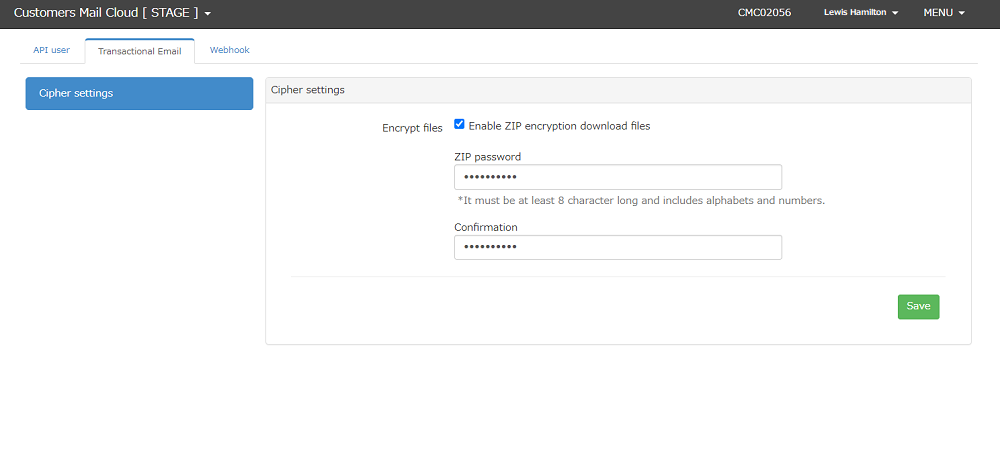
Input the below items:
Items | Required | Description |
|---|---|---|
File Encryption | Yes | Mark as checked if you enable ZIP encryption for the downloaded file. |
ZIP Password | No | Input the password for ZIP file when encrypting files. Input 8 or more alphanumeric characters as a password. Symbols are not supported. |
ZIP Password (Confirmation) | No | Input the same value as ZIP password. |
4.Encryption settings will be enabled when you click the Save button.
